
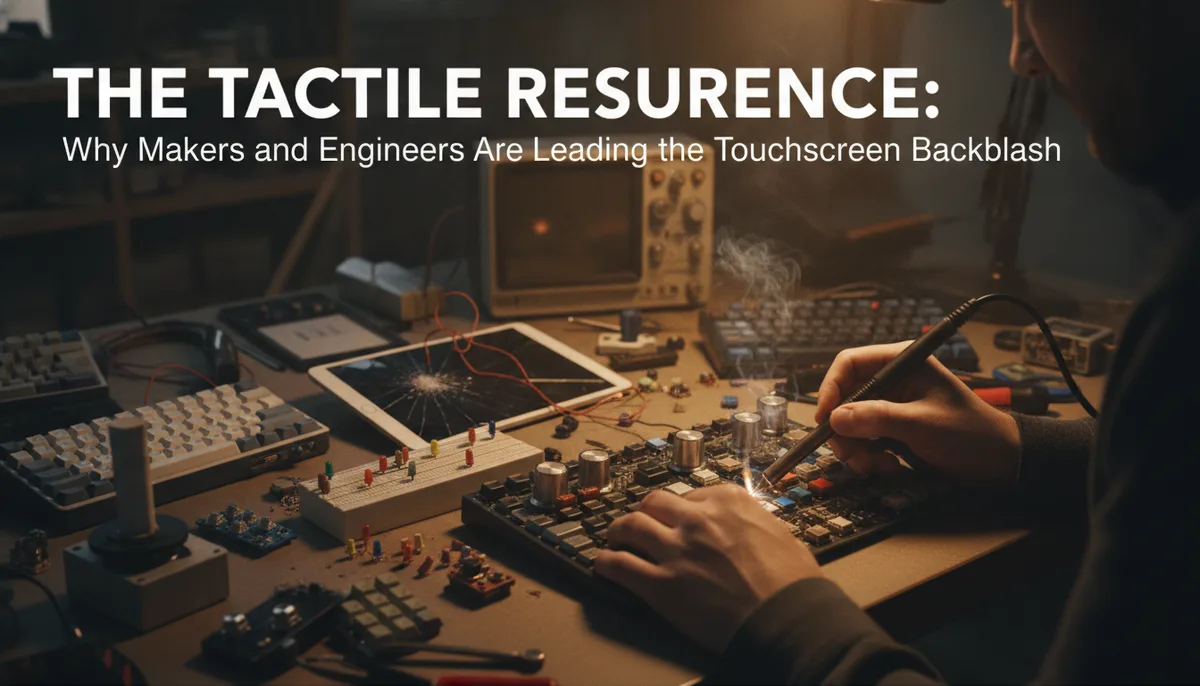
The Tactile Resurgence: Why Makers and Engineers are Leading the Touchscreen Backlash
The Sensory Deficit of the Glass Age
For the better part of a decade, industrial design has been dominated by a singular aesthetic: the seamless sheet of glass. From the dashboards of luxury electric vehicles to the interfaces of high-end kitchen appliances, the physical button was systematically hunted to near-extinction. This shift wasn't driven entirely by user preference; rather, it was a marriage of manufacturing efficiency and the perceived "futurism" of the smartphone era.
However, a "touchscreen backlash" is brewing. As highlighted by recent discussions in the maker community and deep dives by outlets like Polygon, consumers are beginning to itch for physical feedback. While toddlers may intuitively swipe at any glowing rectangle they see, the power users—the engineers, the hackers, and the field technicians—are demanding the return of the tactile.
At Soldered Anywhere, we see this movement not just as a nostalgic pining for the past, but as a necessary correction in human-computer interaction (HCI). The "glass-only" approach has reached its saturation point, and the consequences range from minor annoyances to genuine safety concerns.
The Cognitive Load of "Look-to-Act"
The primary failure of the touch interface is its demand for visual attention. A physical button exists in three-dimensional space; your hand can find it through spatial awareness and muscle memory. You don't need to look at your volume knob to turn it down; your fingers find the texture, the resistance, and the hard stop.
In contrast, a touchscreen is a flat, featureless void until you look at it. To change a setting on a touch interface, the user must:
- Divert visual attention from their primary task to the screen.
- Navigate a visual hierarchy (menus/sub-menus).
- Precision-aim a finger at a coordinate on the glass.
- Wait for visual or auditory confirmation that the "press" was registered.
In environments where focus is critical—such as during an Emergency RC Repair: Soldering in the Pits—this cognitive load is unacceptable. When your hands are covered in flux or you're wearing protective gear, the reliability of a physical toggle switch far outweighs the sleekness of a capacitive slider.
Why Makers are Building Their Own Interfaces
The maker community has long been the vanguard of the tactile resurgence. While OEMs (Original Equipment Manufacturers) continue to strip buttons to save on tooling costs, hackers are busy soldering them back on. This is perhaps most visible in the explosion of the custom mechanical keyboard and macro pad scenes.
Engineers and creatives are no longer satisfied with generic touch bars or on-screen shortcuts. They are building dedicated hardware controllers for specific workflows. Whether it's a rotary encoder for scrubbing through a video timeline or a bank of mechanical switches for launching CAD macros, the goal is the same: offloading digital tasks to physical hardware.
If you are looking to start your own tactile interface project, having the right components is the first step. RGB Backlit Switch Tester Kit Me...
This DIY approach extends to tool modification as well. Many budget-friendly tools come with frustrating touch-sensitive buttons that fail in a workshop environment. We’ve explored the depths of hardware modification in our guide on Wireless LCD Streaming for the ANENG AN870: A Deep Dive into Multimeter Hacking, where the focus is on making data more accessible and interfaces more functional than the stock configuration allows.
The Engineering Case for Haptic Feedback
From an engineering perspective, the "click" of a well-made switch is a data point. It is a mechanical confirmation of state change. When you press a high-quality tactile switch, the force-displacement curve provides a "snap" that tells your nervous system the action is complete before the software even processes the command.
This is why physical buttons remain the standard in mission-critical hardware. You won't find a touchscreen "Fire" button on a fighter jet or a touch-sensitive "Emergency Stop" on a CNC mill. The reliability of a physical spring and contact point is unparalleled.
For those building their own hardware, selecting the right type of switch is a science in itself. You have to consider:
- Actuation Force: How hard do you need to press?
- Tactile Travel: How far does the button move before it clicks?
- Debounce Requirements: How does the microcontroller handle the mechanical "bounce" of the metal contacts?
For a comprehensive look at the components needed to build these robust interfaces, refer to The Soldered Anywhere Master Buying Guide, which covers the essential hardware for building lasting projects.
Beyond the Screen: The Rise of Hybrid Interfaces
The future isn't necessarily a total abandonment of touchscreens, but rather a move toward hybrid interfaces. We are seeing a return to "smart knobs" that combine a physical rotary encoder with a small OLED display in the center. This provides the flexibility of a digital display with the tactile precision of a physical dial.
This hybrid approach is particularly useful in complex diagnostic equipment. Imagine a colorimeter where you don't just tap a screen to calibrate, but feel a physical detent as you lock in a reference value. This level of interaction is what separates a consumer toy from a professional tool.
rotary encoder modules for Arduino
Practical Steps to "Buttonize" Your Workflow
If you’re feeling the frustration of the "glass-only" world, you don't have to wait for manufacturers to change their minds. You can start integrating physical feedback into your setup today.
1. The Macro Pad
The easiest entry point is a programmable macro pad. By using a microcontroller like the RP2040 or an Arduino Pro Micro, you can map physical mechanical switches to any keyboard shortcut or mouse action. This is a game-changer for software like Photoshop, KiCad, or even Excel.
2. Rotary Encoders
Replace the "scroll and click" of a mouse with a dedicated rotary encoder. These are perfect for volume control, zooming in on PCB layouts, or scrolling through lines of code.
3. Physical Toggles for Smart Homes
Instead of pulling out your phone and opening an app to turn on the lights, use ESP32-based physical buttons. Mounting a simple arcade-style button under your desk to trigger a "Work Mode" scene provides a level of satisfaction that a swipe-down menu never will.
Conclusion: The Haptic Future
The touchscreen backlash isn't a rejection of technology; it's a demand for better ergonomics. As we spend more of our lives interacting with digital systems, the quality of those interactions matters. The "power of buttons" lies in their ability to bridge the gap between our physical bodies and our digital tools.
Whether you're hacking a microscope for a wider field of view or building a custom control deck for your workshop, remember that the best interface is the one you don't have to look at to use. It’s time to pick up the soldering iron and bring back the click.
Related product: 2X KY-040 Rotary Encoder Module...
Related product: RGB Backlit Switch Tester Kit Me...
Related product: 2X KY-040 Rotary Encoder Module...