
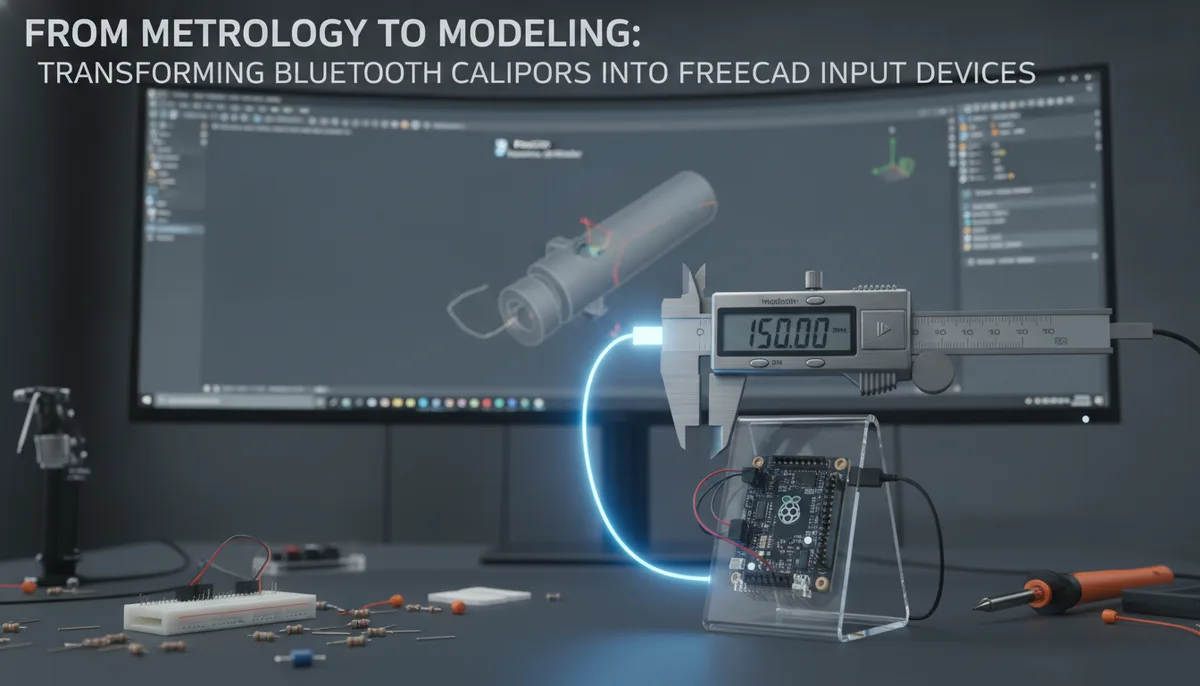
From Metrology to Modeling: Transforming Bluetooth Calipers into FreeCAD Input Devices
In the world of precision engineering and digital fabrication, the gap between the physical object and the digital model is often bridged by a sequence of manual steps that are ripe for error. We measure with a caliper, memorize a four-digit decimal, switch our focus to the monitor, and type the value into a CAD constraint. It is a workflow that has remained largely unchanged since the dawn of desktop modeling.
However, a recent breakthrough by developer Steffen (stv0g) Vogel has demonstrated that the tools we use to measure don't have to be passive observers. By leveraging a used Sylvac S_Cal EVO caliper found on eBay for €90—a fraction of its €300-€400 retail price—Vogel didn't just upgrade his measurement accuracy; he created a new category of input device for FreeCAD. Through his custom Python library, `sylvac-measure`, the humble caliper has become an active participant in the design process.
The Hardware: Why Sylvac S_Cal EVO Matters
The Sylvac S_Cal EVO is not your average hardware store digital caliper. Manufactured in Switzerland, these tools are the gold standard in metrology, offering IP67 protection against water and coolant, and a level of repeatability that cheaper alternatives struggle to match.
The "EVO" line specifically features integrated Bluetooth connectivity. While many professional tools require expensive, proprietary receivers or "HID" (Human Interface Device) dongles to talk to a computer, the S_Cal EVO uses Bluetooth Low Energy (BLE). This openness—or at least, discoverability—is what allowed Vogel to bridge the gap between the tool's internal logic and a standard Linux or Windows workstation.
When looking for tools that offer this level of integration, it pays to consult The Soldered Anywhere Master Buying Guide to understand where high-end metrology fits into a well-rounded laboratory setup.
The Software Bridge: Understanding sylvac-measure
The core of this transformation lies in the `sylvac-measure` Python library. Historically, getting data out of a professional caliper required a "wedge" software that simulated keystrokes. While effective, this method is "dumb"—the computer doesn't know it's receiving a measurement; it just thinks someone is typing very fast on a numeric keypad.
Vogel’s library takes a more sophisticated approach. By communicating directly with the caliper over BLE, the library can:
- Poll for Data: Request the current reading from the caliper on demand.
- Handle Units: Automatically manage the conversion between millimeters and inches.
- Trigger Events: Use the physical button on the caliper to trigger specific actions within a software environment.
This level of integration is similar to how specialized CAD controllers operate. For those interested in how dedicated hardware can change the way we interact with 3D space, our look at Rotatrix: Revolutionizing 3D Navigation for CAD and Design Workflows provides an excellent parallel in the world of 3D navigation.
Revolutionizing the Reverse Engineering Workflow
The most immediate application for a Bluetooth-enabled caliper input is reverse engineering. When a designer needs to recreate a physical part in FreeCAD, they might take fifty or more distinct measurements.
The Traditional Workflow:
- Measure the bore diameter.
- Look at the screen.
- Click the constraint in FreeCAD.
- Type "12.45".
- Repeat for the next feature.
The sylvac-measure Workflow:
- Measure the bore diameter.
- Click the constraint in FreeCAD.
- Press the "Data" button on the caliper.
- The value is instantly populated.
This eliminates the "mental load" of data transfer. By keeping the designer's eyes on the part and the model rather than the keypad, the likelihood of a "transposition error" (typing 12.54 instead of 12.45) drops to near zero.
Technical Implementation: How It Works
For the technically inclined, the `sylvac-measure` library utilizes the `bleak` (Bluetooth Low Energy platform Agnostic Klient) library in Python. This allows it to work across Linux, macOS, and Windows.
The library identifies the Sylvac device by its UUID and subscribes to the measurement characteristic. When the button on the caliper is pressed, the device sends a notification packet containing the current measurement. The Python script parses this packet, extracts the numerical value, and can then use automation tools (like `pyautogui` or FreeCAD’s internal Python API) to inject that value into the active UI element.
This is a classic example of "hardware hacking" that mirrors the efforts seen in other tool categories, such as Wireless LCD Streaming for the ANENG AN870: A Deep Dive into Multimeter Hacking, where the goal is to liberate data from a standalone screen and bring it into a centralized digital workspace.
Beyond the Caliper: The Future of the Connected Workshop
Steffen Vogel’s project is a harbinger of the "Smart Workshop." As more tools—micrometers, dial indicators, and even torque wrenches—adopt BLE standards, the ability to script our environment becomes a competitive advantage.
Imagine a FreeCAD plugin that guides you through a measurement routine: "Measure the total length now." You slide the caliper, click, and the model updates. "Now measure the hole offset." This isn't just about speed; it's about creating a verifiable "digital twin" of a physical object with a documented chain of measurements.
High Precision Digital Micrometer with Bluetooth
Practical Advice for Makers and Engineers
If you are looking to replicate this setup, there are a few things to consider:
- Secondary Market Hunting: As Vogel found, the best way to acquire high-end Sylvac or Mitutoyo tools is often the used market. Look for "Bluetooth" or "Power" branding on the tool face.
- Environment Setup: Ensure your workstation has a modern Bluetooth 4.0+ adapter. If you are using a desktop with a metal case, an external antenna may be necessary to maintain a stable connection with the tool.
- Python Proficiency: To use `sylvac-measure` effectively, you should be comfortable running Python environments and potentially writing small "wrapper" scripts to tailor the input to your specific CAD software.
The intersection of high-end metrology and open-source software is a fertile ground for innovation. By turning a caliper into an input device, we move one step closer to a seamless integration between the physical world we measure and the digital world we create. For those just starting their journey into high-quality tool acquisition, checking out the Best Portable Soldering Irons of 2024: A Field Guide can help you establish the same standard of quality for your electronics workbench that Steffen Vogel has established for his metrology station.