
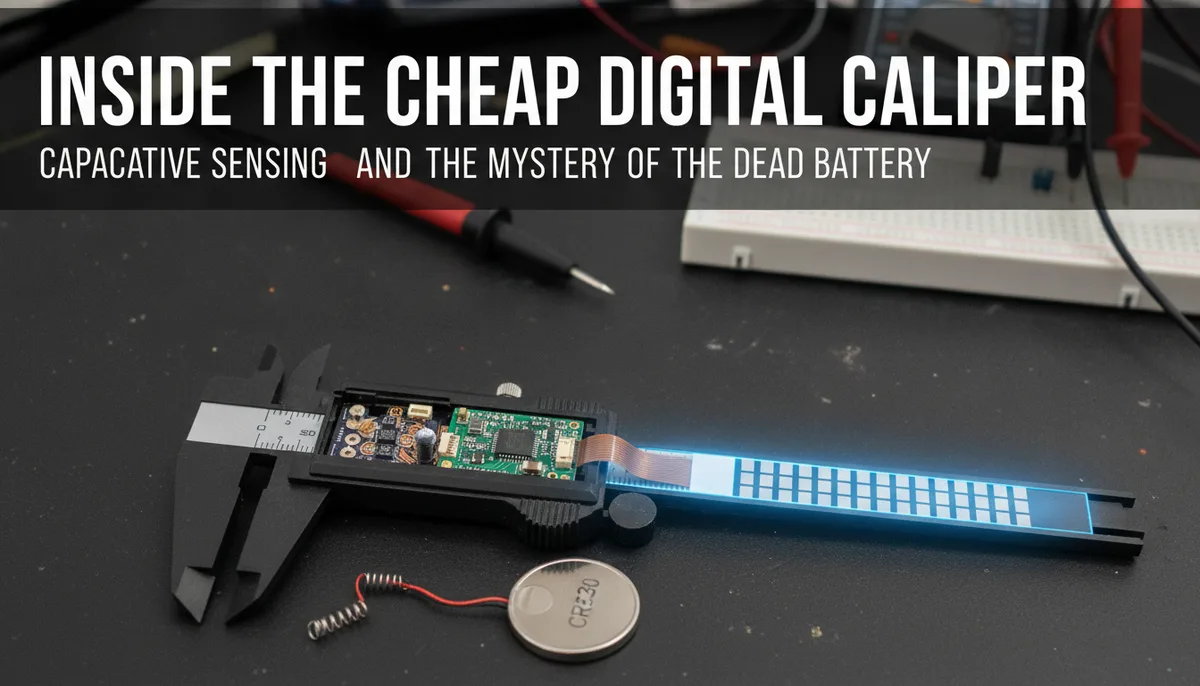
Inside the Cheap Digital Caliper: Capacitive Sensing and the Mystery of the Dead Battery
For many makers, hackers, and hobbyists, the digital caliper is the first "real" precision tool added to the workbench. It is the bridge between the rough world of "eyeballing it" and the precise world of CAD and 3D printing. However, there is a common ritual shared by many in the community: you reach into your toolbox, slide the jaws open, and find a blank, lifeless LCD.
The cheap digital caliper is a marvel of mass production, but it is also a source of constant frustration due to its legendary battery appetite. To understand why these tools are both indispensable and infuriating, we have to look under the scale sticker. Thanks to a detailed teardown by [DiodeGoneWild], we can see the clever—and occasionally lazy—engineering that makes these devices tick.
The Architecture of a Budget Caliper
At first glance, a pair of digital calipers looks like a simple mechanical device with a screen. In reality, it is a sophisticated electronic sensor system. The tool consists of two main parts: the stationary ruler (the beam) and the sliding carriage.
In budget models, the construction is often plastic or low-grade composite, whereas professional-grade tools use hardened stainless steel. However, the electronics inside are surprisingly similar across the price spectrum. The carriage houses the battery, the LCD, and the PCB (Printed Circuit Board) which performs all the heavy lifting.
The "magic" happens between the carriage and the beam. If you were to peel back the scale sticker on the ruler of a cheap pair of calipers, you wouldn't find gears or optical sensors. Instead, you would find an etched copper strip featuring repetitive T-shaped sections. This is the "stator" of a linear capacitive encoder.
How Capacitive Sensing Works in Linear Measurement
The core technology behind the digital caliper is capacitive sensing. Unlike a potentiometer, which uses physical contact and friction to measure resistance, a capacitive encoder measures the change in the ability of a system to store an electrical charge.
The PCB and the Copper Strip
Inside the carriage, the PCB features a series of sensing plates. These plates are positioned directly above the T-shaped copper sections on the ruler. As you move the carriage, the alignment between the PCB plates and the ruler's copper sections changes.
This movement alters the capacitance between the plates. The onboard microcontroller sends out high-frequency signals and measures how these signals are modulated by the position of the carriage. By counting these shifts in capacitance, the chip can calculate exactly how far the carriage has moved relative to its starting point.
Relative vs. Absolute Positioning
It is important to note that these cheap calipers measure relative position. This is why the "ZERO" button is so critical. When you turn the device on, it doesn't necessarily know where the jaws are in space; it only knows where they are relative to where they were when you hit the zero button.
For a deeper look into how these types of electronic signals can be captured and even transmitted, you might find our guide on Wireless LCD Streaming for the ANENG AN870: A Deep Dive into Multimeter Hacking useful, as it explores similar principles of intercepting tool data.
The "Always On" Problem: Why Your Batteries Die
The most common complaint regarding budget calipers is that the battery (usually an LR44 or SR44 button cell) dies within a few months, even if the tool is never used. The [DiodeGoneWild] teardown highlights the culprit: the lack of a true "hard" power switch.
Most modern electronics use a "soft" power button. When you press "OFF," the device enters a low-power sleep mode rather than physically disconnecting the battery. In the case of cheap calipers, this sleep mode is exceptionally "awake."
The Auto-Wake Feature
Many calipers feature a convenience function where sliding the jaws automatically turns the display on. To make this work, the microcontroller and the capacitive sensors must remain powered at all times. They are constantly "polling" the sensor to see if the carriage has moved.
Because the circuitry is optimized for the lowest possible manufacturing cost rather than the highest power efficiency, this constant polling creates a parasitic drain. Over weeks and months, this tiny trickle of current empties the battery. In contrast, high-end brands like Mitutoyo use proprietary low-power encoders that can last years on a single cell, but you pay a significant premium for that engineering.
LR44 AG13 batteries bulk pack
Engineering Trade-offs: Plastic vs. Metal
When choosing tools for your lab, the material of the caliper matters as much as the electronics. Cheap plastic calipers are often sold for a few dollars. While they use the same capacitive sensing technology, they suffer from "frame flex."
If you squeeze a pair of plastic calipers too hard, the material compresses or bends, giving you a false reading. This is why they are generally relegated to tasks where "close enough" is acceptable—such as measuring the diameter of a bolt or checking the width of a 3D print.
For anyone looking to build a serious kit, we discuss the balance between budget and performance in The Soldered Anywhere Master Buying Guide. If you are doing precision work, a stainless steel body is non-negotiable because it provides the rigidity necessary to ensure the capacitive sensor is actually measuring the part, not the flex of the tool.
Visualizing the Signal: The Oscilloscope View
In his teardown, [DiodeGoneWild] utilized an oscilloscope to probe the PCB while the caliper was in operation. This reveals the "clock" and "data" signals being sent across the capacitive plates.
The waveforms show a series of pulses. As the carriage moves, the phase or amplitude of these pulses shifts. The internal IC (Integrated Circuit) is essentially a very specialized, very low-power frequency counter and calculator. It translates these analog shifts into the digital numbers we see on the screen.
Interestingly, many of these cheap chips actually output a serial data stream. Some enterprising hackers have tapped into these pads on the PCB to send caliper measurements directly to a computer or an Arduino, effectively turning a $10 tool into a high-precision linear scale for a DIY CNC machine or a digital readout (DRO) for a manual lathe.
Maintenance and Hacks for the Budget Maker
If you are stuck with a pair of calipers that eats batteries, there are a few practical steps you can take:
- The Battery Pull: The simplest solution is to leave the battery cover loose and only slide the battery in when you are using the tool. It’s annoying, but it guarantees a fresh battery when you need it.
- The Zinc-Air Swap: Some users have experimented with different battery chemistries, though the voltage curve of silver oxide (SR44) is generally superior to the cheaper alkaline (LR44) for maintaining accuracy as the battery depletes.
- The Physical Switch Hack: If you have steady hands and a good soldering iron, you can mill a small slot in the plastic casing and install a physical micro-toggle switch between the battery terminal and the PCB.
Speaking of precision soldering, if you're looking for the right tool for these kinds of delicate modifications, check out our Pinecil V2 Review: Is the Hype Actually Real? to see if a portable iron is the right fit for your bench.
iGaging OriginCal Digital Caliper
Conclusion: Value in Understanding
The teardown of a cheap digital caliper reminds us that "cheap" doesn't necessarily mean "simple." The integration of capacitive sensing into a mass-produced consumer tool is a significant engineering feat. While the battery drain is a legitimate design flaw, it is a trade-off made to keep the price point accessible to every hobbyist.
By understanding that your caliper is essentially a capacitive radio receiver measuring a copper pattern on a ruler, you can better appreciate its limitations and its strengths. Whether you are using a $5 plastic pair or a $200 professional model, the fundamental physics remains the same—it’s just a matter of how well those physics are managed by the hardware around them.
Related product: iGaging OriginCal 6" Digital Cal...
Related product: 100 Pack LOOPACELL LR44 AG13 357...
Related product: Kynup Digital Caliper
Related product: iGaging OriginCal 6" Digital Cal...
Related product: 100 Pack LOOPACELL LR44 AG13 357...