
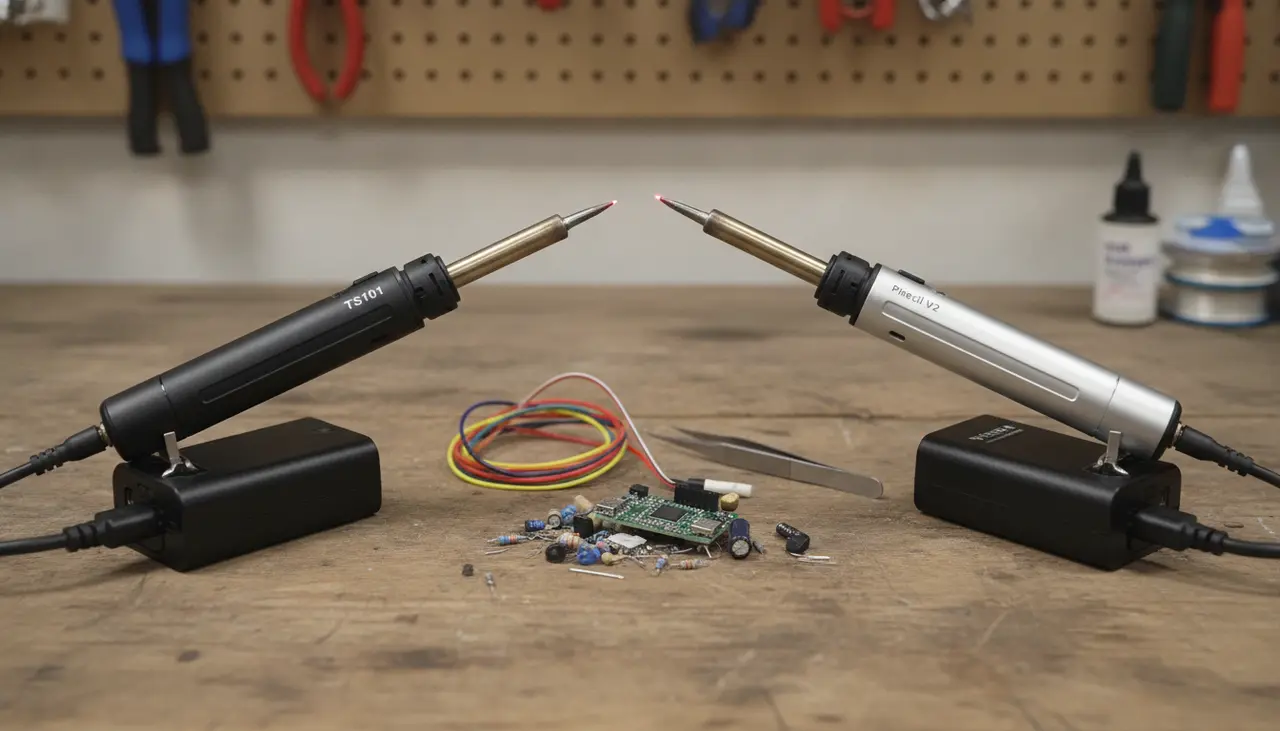
TS101 vs. Pinecil: Which Portable Soldering Iron Should You Buy?
Affiliate Disclosure: This post contains affiliate links. If you purchase through these links, we may earn a small commission at no extra cost to you, which helps us keep the lights on at Soldered Anywhere.
If you are looking for the short answer: Choose the Pine64 PINECIL Smart Mini Portab... V2 if you want the best possible value for your money and love a community-driven, open-source ecosystem. Choose the Miniware TS101 if you prefer a slightly more "premium" feel, a larger screen, and the convenience of a built-in anti-roll cap.
Both irons are incredible tools that have revolutionized field repairs for RC enthusiasts and hobbyists alike. You truly cannot go wrong with either, as they both utilize the same high-quality tip system and support powerful USB-C Power Delivery (PD).
Who Is This Comparison For?
Whether you’re a drone pilot trying to resolder a motor wire at the park, a field technician fixing a control panel, or a hobbyist who simply doesn't have room for a massive soldering station on their desk, this guide is for you. We know your time is precious and your gear needs to work the first time, every time.
TS101 vs. Pinecil V2: At a Glance
| Feature | Pinecil V2 (Pine64) | Miniware TS101 |
|---|---|---|
| Primary Power | USB-C (PD 3.1) & DC 5525 | USB-C (PD 3.0) & DC 5525 |
| Max Wattage | Up to 80W (with PD 3.1) | Up to 65W (PD) / 90W (DC) |
| Display | 0.69" OLED (Monochrome) | 128*32 Pixel OLED (Larger) |
| Firmware | IronOS (Pre-installed) | Proprietary (IronOS compatible) |
| Price Range | $25 - $40 | $60 - $75 |
| Best Feature | Incredible Value / Open Source | Screen Size / Ergonomic Cap |
The Pinecil V2: The Community Champion
The Pinecil V2 has become a bit of a legend in the maker community. It’s affordable, rugged, and surprisingly powerful. Because it is produced by Pine64, a company focused on open-source hardware, it feels like a tool built by enthusiasts for enthusiasts.
Why you’ll love it:
- The Price: It is nearly half the price of the TS101, leaving you more room in your budget for a high-quality Pinecil V2 Review: Is the Hype Actually Real?.
- The Grip: It features a teal silicone grip that feels secure in the hand, even if your fingers are a bit sweaty from a long day in the sun.
- The Power: With the V2, you get support for PD 3.1, meaning if you have a powerful enough power bank, this little iron can heat up in seconds.
The Tradeoff: The screen is smaller than the TS101, which might be a bit of a strain if you’re working in low-light conditions or have aging eyes. It also doesn't come with a "stand" or a protective cap in the base box, so you’ll need to be mindful of where you set it down while it's hot.
The Miniware TS101: The Refined Evolution
The TS101 is the successor to the famous TS100. Miniware took everything people loved about the original and added the one thing everyone was asking for: a USB-C port.
Why you’ll love it:
- The Screen: The display is noticeably larger and easier to read than the Pinecil. It provides clear information about your current temperature and input voltage.
- The Anti-Roll Cap: It sounds like a small thing, but the "cat-ear" shaped cap near the tip prevents the iron from rolling off your table—a potential lifesaver for your carpet or your lap!
- The "Boost" Mode: The TS101 has a very intuitive button layout that makes jumping into "Boost" mode (for those stubborn ground planes) very easy.
The Tradeoff: It is significantly more expensive than the Pinecil. While the hardware is excellent, you are paying a premium for the brand and the ergonomic refinements.
Which One Should You Choose?
Choose the Pinecil V2 if:
- You are on a budget but don't want to sacrifice performance.
- You love "tinkering" with settings (IronOS is fantastic for this).
- You already own a high-wattage USB-C PD power bank.
Choose the Miniware TS101 if:
- You want a larger, clearer screen for easier reading.
- You value small ergonomic touches like the anti-roll feature.
- You prefer a tool that feels a bit more like a finished consumer product right out of the box.
If you are still undecided, you might want to check out our broader list of the Best Portable Soldering Irons of 2024: A Field Guide to see how these two stack up against more traditional battery-powered options.
Common Beginner Mistakes to Avoid
- Underpowering the Iron: Both of these irons require a "Power Delivery" (PD) compatible source to reach their full potential. If you plug them into a standard phone charger, they may reset or fail to heat up. Aim for a 65W PD charger or power bank.
- Leaving the Tip "Dry": Before you turn off your iron and pack it away in your field kit, always apply a small amount of solder to the tip (tinning). This prevents oxidation while it sits in your bag.
- The "Wrong Tip" Trap: Many beginners try to use the tiny needle-point tip for everything. In the field, a "Chisel" or "Bevel" tip is often better because it holds more heat, making it easier to fight the wind or heavy wire gauges.
Frequently Asked Questions
Can I use the same tips for both? Yes! Both the TS101 and the Pinecil V2 are compatible with the TS100-style (and Pinecil-style) integrated heater tips. This makes it very easy to find replacements or specialized shapes.
Do I need to install custom firmware? You don't have to. Both work great out of the box. However, many users prefer "IronOS" because it allows for better temperature control, custom animations, and more detailed battery safety settings. The Pinecil V2 comes with a version of this pre-installed.
Can I power these from a LiPo battery? Absolutely. Both irons feature a DC barrel jack (DC5525). You can use a simple XT60 to DC5525 adapter to power your iron directly from your drone or RC car batteries (3S to 6S typically). Just be careful not to over-discharge your battery!
Final Thoughts
Choosing between the TS101 and the Pinecil V2 is a "win-win" scenario. Both tools have moved soldering away from the heavy, corded stations of the past and into the pockets of makers everywhere.
If you want a reliable, budget-friendly workhorse, grab the Pinecil. If you want a slightly more polished experience with a better screen, go for the TS101. Either way, your field repairs are about to get a whole lot easier.
Related product: TS101 Smart Handle Low Power inp...