
5 Essential Solder Tips for Portable Irons: The Ultimate Field Guide
Disclosure: This post contains affiliate links. If you purchase through these links, we may earn a commission at no additional cost to you. We only recommend tools that meet the rigorous demands of field electronics work.
Choosing the right soldering iron tip is the difference between a five-minute "win" in the field and an afternoon of frustration. For portable iron users, this choice is even more critical because we are often working with limited power from a battery pack or a USB-C PD source.
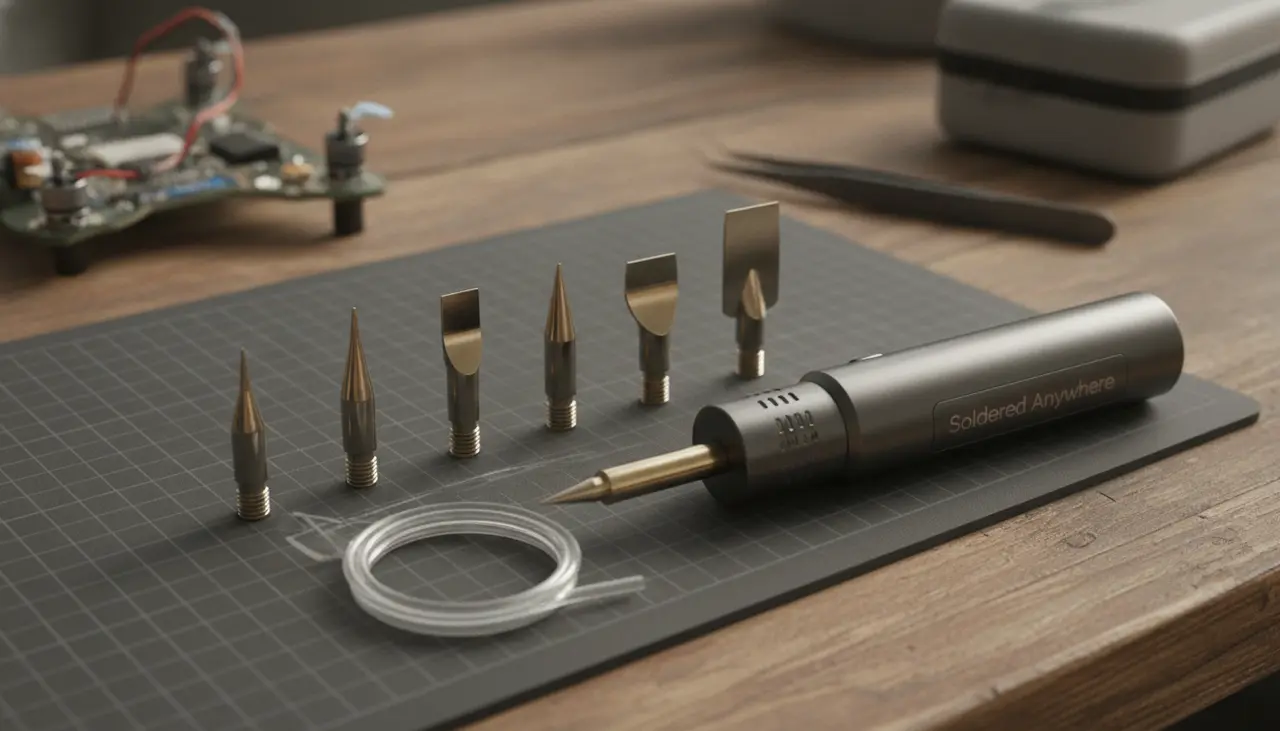
In short, the Chisel (D24) and Knife (K) tips are the most essential for portable users. The Chisel tip offers the best thermal mass for general repairs, while the Knife tip is a versatile powerhouse for cleaning pads and drag-soldering. Having a small Conical (B2), a Bevel (C4), and a fine Needle (I) tip completes a kit capable of handling everything from drone motors to tiny SMD components.
Who This Guide Is For
If you’ve ever sat at a race track, a flight field, or a remote job site trying to tack a wire back onto a PCB, this guide is for you. We are focusing specifically on tips compatible with modern portable irons like the Pinecil V2, Miniware TS101, and similar USB-C powered tools that use the integrated heater design.
Quick Comparison: Essential Portable Tip Shapes
| Tip Shape | Common Code | Best Use Case | Heat Transfer |
|---|---|---|---|
| Chisel | D24 / D16 | General purpose, wires, through-hole | Excellent |
| Knife | K / KU | Drag soldering, bridge removal, scraping | Very Good |
| Bevel/Hoof | BC2 / C4 | Drag soldering, large joints | Good |
| Conical | B2 | General hobby work, tight spaces | Moderate |
| Needle | I / ILS | Micro-SMD, delicate trace repair | Low |
1. The Chisel Tip (D24): Your Daily Driver
If you could only carry one tip in your travel bag, make it the Chisel. Because the end is flat and wide, it provides more surface area contact with the joint.
In the world of portable soldering, heat management is everything. When you’re powering your iron via a power bank, you want the most efficient heat transfer possible. The Chisel tip excels here, making it perfect for soldering XT60 connectors or thicker gauge battery wires on an RC car.
- Best for: General field repairs, wire-to-board connections, and larger components.
- Pro Tip: If you're using a Pinecil V2 Review favorite like the Pinecil, the D24 tip is often the community's top recommendation for a "default" setup.
2. The Knife Tip (K): The Versatile Multi-Tool
The Knife tip looks exactly like its namesake. It has a long, slanted edge that allows you to use different parts of the tip for different tasks. You can use the "blade" for drag soldering multiple pins on a chip, or the very point for precision work.
- Best for: Cleaning up solder bridges on a flight controller or removing old solder from pads.
- Tradeoff: It’s quite large, so it can be tricky to use in extremely cramped enclosures without accidentally melting nearby plastic.
3. The Conical Tip (B2): The Precision Standard
Most portable irons ship with a Conical tip by default. It’s a great "all-rounder" for hobbyists. While it doesn't have the thermal mass of the Chisel, its pointed shape makes it easy to see exactly where you are applying heat.
- Best for: Standard through-hole components and general-purpose electronics kits.
- Practical Tip: Don't use the very tip of the cone to heat a joint; instead, use the "side" of the point to get more surface area contact.
4. The Bevel or "Hoof" Tip (BC2): The Solder Reservoir
The Bevel tip looks like a cylinder cut at an angle. The flat face can actually "hold" a small bead of solder, which is incredibly helpful for "drag soldering" (soldering many small pins in one smooth motion).
- Best for: Surface mount (SMD) work and situations where you need to apply solder to a large area quickly.
- Field Utility: It’s excellent for refurbishing old pads on a used PCB.
5. The Needle Tip (I): For the "Micro" Moments
The Needle tip is extremely fine. In a field environment, you might not use this every day, but when a tiny signal wire snaps off a micro-FPV drone or a smartphone-sized component, nothing else will work.
- Best for: 0402 or 0603 sized SMD components and repairing broken traces.
- Common Pitfall: Because it is so thin, it loses heat almost instantly. You’ll often need to bump your iron’s temperature up slightly to compensate for the lack of thermal mass.
Beginner Mistakes to Avoid
- The "Needle-Only" Trap: Many beginners think a finer tip is always better. In reality, a tip that is too small won't transfer enough heat to the joint, leading to "cold solder joints" that break easily under vibration.
- Neglecting the Tin: Before you throw your iron back into your field kit, always apply a fresh layer of solder to the tip. This prevents oxidation while the tool sits in your bag.
- Ignoring Power Delivery: Even the best tip won't work if your power source is weak. Ensure you're using a 65W+ PD power bank for the best experience. Check out The Soldered Anywhere Master Buying Guide for our top power bank recommendations.
Frequently Asked Questions
How do I clean my tips in the field? Avoid wet sponges when mobile; they cool the tip down too much. Instead, use a small container of brass wire "wool." It cleans the oxidation off without the thermal shock.
Can I use TS100 tips in a Pinecil V2? Yes! Most of these "smart" portable irons use the same tip standard (often called ST or TS tips), making it easy to find replacements on Amazon or through specialty electronics retailers.
How often should I replace my tips? With proper care (tinning and using a brass cleaner), a high-quality tip can last for hundreds of repair sessions. If the tip becomes "pitted" or won't hold solder despite cleaning, it's time for a new one.
Final Thoughts
Building a small "wallet" of these five tips ensures you're never sidelined by a repair you can't handle. Start with a Chisel and a Knife tip, and expand as your projects get more complex. Having the right tool doesn't just make the job easier—it gives you the confidence to take your projects anywhere.